

Malta's corporate tax return, filled automatically.
Haystack Tax reads a client's tax computation and trial balance, then fills and recalculates the official MTCA/CFR YA2025 return itself: no cell-by-cell data entry, no per-client setup, and nothing claimed as correct that hasn't actually been checked.
The return has ~15,000 formulas. You write none of them.
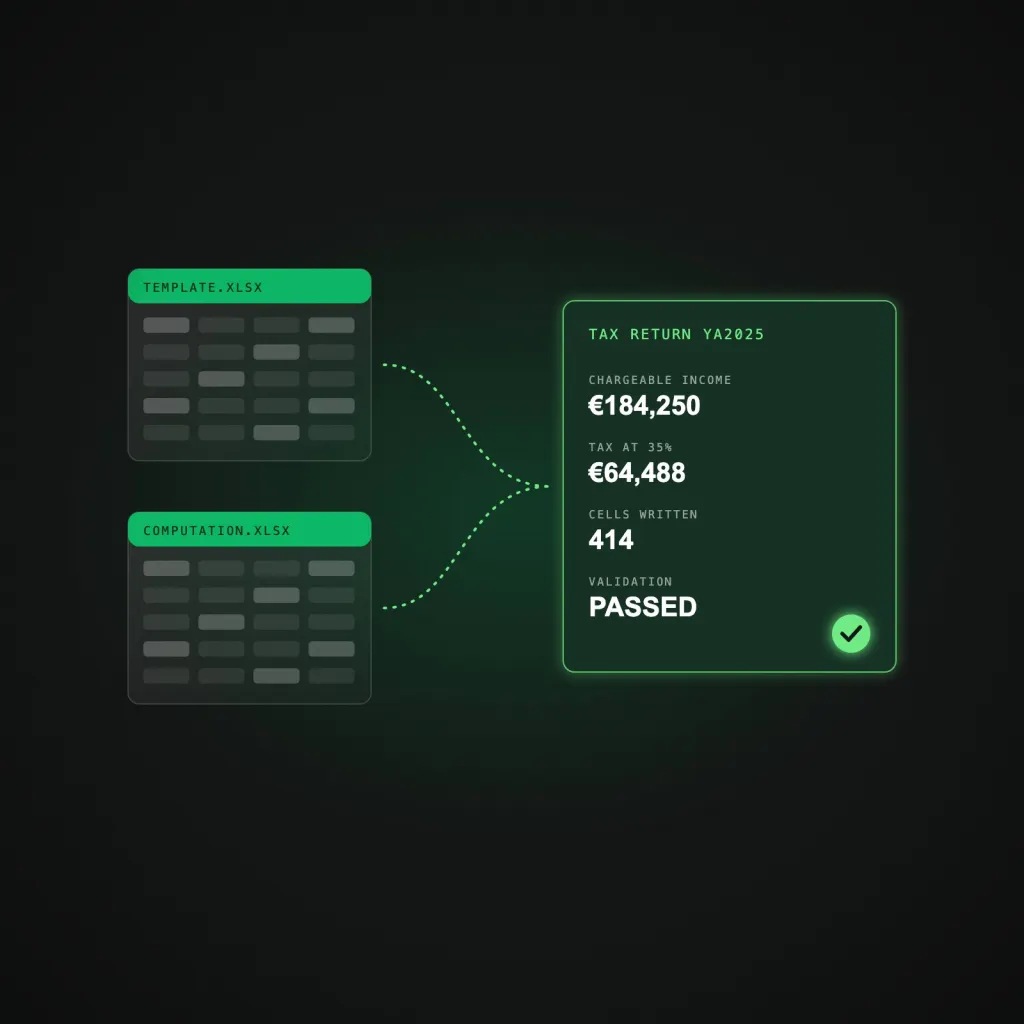
The official return is a ~130-sheet workbook with only ~414 true input cells. Haystack Tax writes those, and lets the workbook's own formulas compute everything else.
-
01
Automatic chart-of-accounts inference
No manual onboarding for a new client.
-
02
Line-level mapping
Grades every return on how much value landed where.
-
03
Full recalculation engine
Proven accurate to 99.78% against real filed returns.
-
04
Reconciliation & honest validation
Flags what it can't derive instead of guessing.
-
05
In-platform editing & audit
Every upload, edit and sign-off logged, firm-scoped.
Every return's status, one glance away.
Live counts of returns awaiting documents, in progress, validated, flagged, and signed off, with a recent returns queue below.
Clients, and their chart of accounts, in one register.
Add a client in seconds; the chart of accounts is inferred automatically.
Status, completion and validation, at a glance.
Completion percentage and validation outcome for every return.
Two workbooks in, a filled return out.
Upload the MTCA template and the tax computation and trial balance; processing is gated until both are in.
Full transparency on what's automated.
Tenant, mapping and template details, automation policy, and a complete audit log.
From two spreadsheets to a signed-off return.
Five steps, most of them automatic.
- Create a client, or add one inline while starting a return
- Upload the personalised MTCA template and the tax computation/trial balance
- Process: infers the chart of accounts, fills every line, recalculates
- Review: an honest status, a "Complete & confirm" checklist, any issues
- Sign off & download the final return, or grab a draft any time
Deployed like the data in it matters, because it does.
Every architectural choice here is about keeping a regulated product boring in the right ways.
- EU-hosted (DigitalOcean) for GDPR data residency, HTTPS by default via Caddy
- Firm-scoped multi-tenancy: no client data crosses tenants, ever
- Append-only audit log for every upload, edit, sign-off and download
- Nightly backups; no auto-seeded demo admin, no credential hints

What the engine is actually doing under the hood.
~130
Sheets in the official return workbook
~15,000
Interdependent formulas the engine recalculates
~414
True input cells it actually needs to write
99.78%
Accuracy proven against real filed returns
Known scope, stated plainly.
- Standard trading companies: the full return is reproduced.
- Holding companies with participation-exemption or foreign-income schedule chains: headline figures are correct today; the detailed multi-schedule breakdown isn't fully built yet.
- Truly bespoke balance-sheet residuals (e.g. a fair-value reserve absent from the trial balance) are flagged for the preparer, never auto-closed.
Packages built around how many returns you file.
Every engagement is scoped and quoted individually after a short discovery call: the tiers below describe scope, not fixed pricing.
Solo Practitioner
Scoped per firm
For a single CSP handling a modest client book.
- Deterministic engine, all core features
- Chart-of-accounts inference & line-level mapping
- Email support
Growing CSP
Scoped per firm
For a firm processing returns across several preparers.
- Multi-user roles: preparer, reviewer, admin
- Chart-of-accounts hints reused across clients
- Audit log & validation reports
- Priority support
Enterprise / Group
Custom
For larger CSPs or groups managing several tenants.
- Dedicated tenant & onboarding
- Custom chart-of-accounts seeding
- Dedicated account manager
Questions, answered.
No, tax figures are computed deterministically from your tax computation and trial balance. Optional AI PDF extraction is disabled by default, and any extracted field must pass schema and evidence validation before a single cell is written.
It goes on the "Complete & confirm" checklist for the preparer to resolve: provisional tax paid, brought-forward losses, tax-account confirmation and similar items are never guessed or hard-coded.
Yes, via the Edit cells panel (Sheet!Cell = value). The workbook is re-filled and recalculated afterwards, so the edit flows through every dependent formula.
No, every firm is a separate tenant and every query is scoped to it. An append-only audit log records every upload, edit, sign-off and download.
Standard trading companies reproduce the full return. Holding companies with participation-exemption or foreign-income schedule chains get correct headline figures today; the detailed multi-schedule breakdown is still being built.

Tell us what is slowing your business down. We will show you what to build, how long it takes and what it costs.
Free 30 minute discovery callReply within 1 business day
